A control desk for every agent, flow and device you run.
ChannelDesk is an NX monorepo of cooperating services. Here's what each of them gives you out of the box.
Real Claude Code, remote-driven.
ChannelDesk spawns genuine claude-code subprocesses on your machine via the
SessionSpawnerService. Sessions have full tool access, persistent
context, and stream their output live back to any subscribed channel.
- • Per-flow session lifecycle via
spawnForFlow() - • Flow-tools MCP automatically wired into each session
- • Resume, cancel, and fork sessions from any device
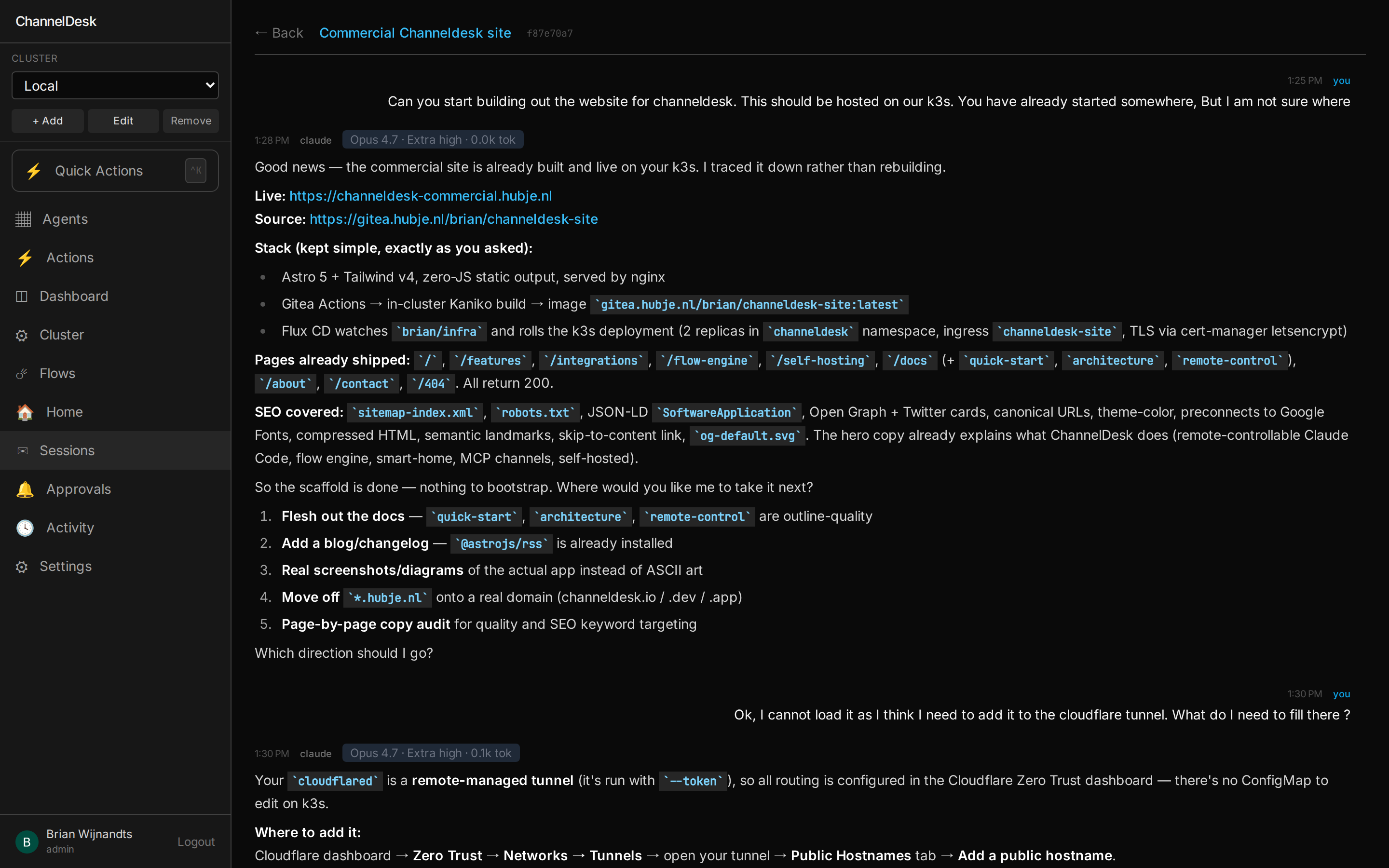
Five surfaces. One shell.
Every chat in ChannelDesk — agent session, cluster assistant, Quick Actions panel, Dashboard panel, Flow editor tab — is the same component. Auto-revive, Stop button, message queue while busy, per-session model + effort, attachments, slash commands — every chat behaves identically, no matter which page it lives on.
- •
/agents/:id/sessions/:sid— agent session view - •
/cluster— cluster assistant dock - •
/actions— Quick Actions chat panel - •
/dashboards/:id— dashboard chat panel - •
/flows/:id— flow editor chat tab
--no-locks this time.
~/.claude/projects/…/diskwatch.jsonl · resumed.
Re-running the cleanup with
--no-locks. The orchestrator pod restarted
twice since we last spoke; my context is intact.
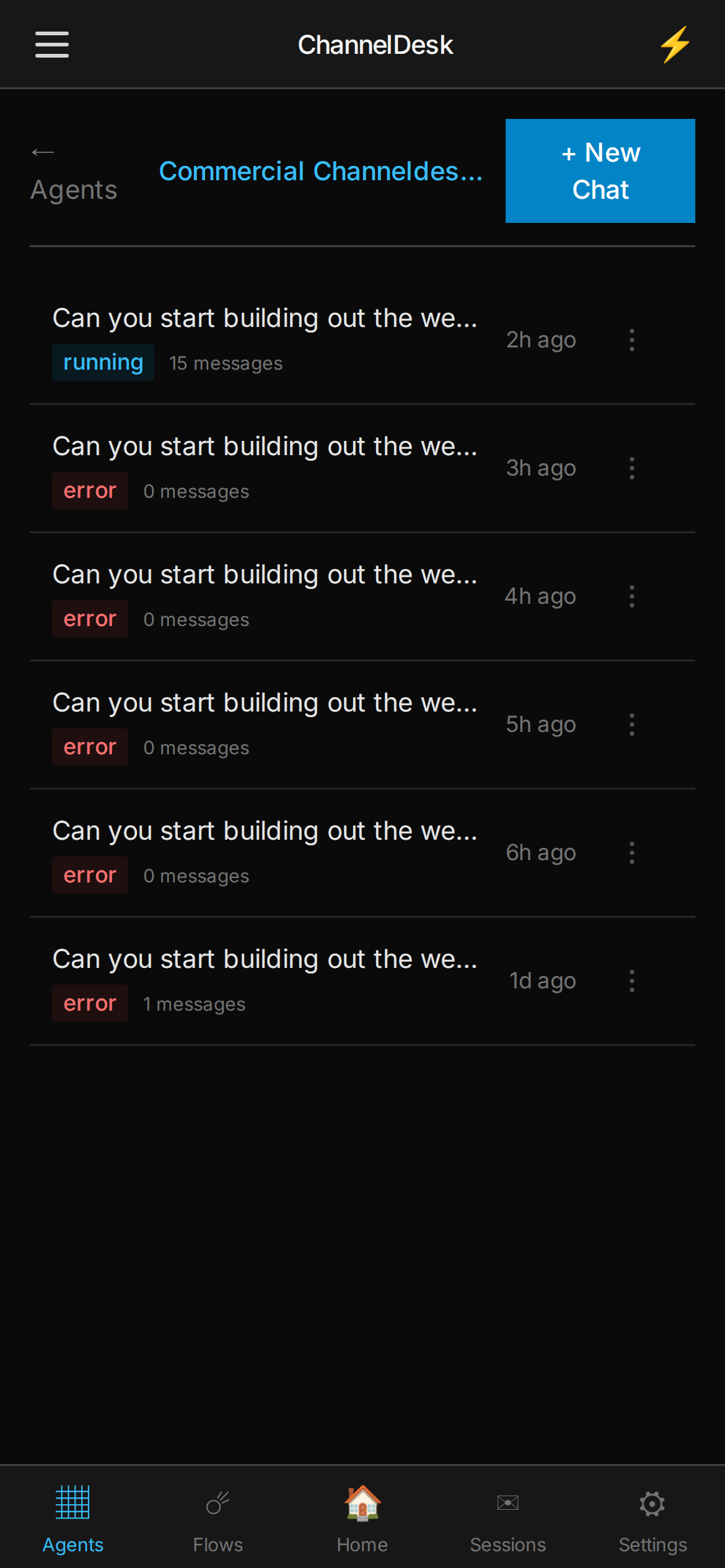
Pick up where you left off. Days later.
Open a session you closed last week, type a message, hit send. ChannelDesk spawns
a fresh claude-code subprocess and resumes from the JSONL transcript
Claude wrote to disk — no Continue button, no copy-paste warm-up.
- • JSONL lives on an NFS share so every pod sees the same state
- • If the file's gone, falls back to transcript-prepend so context survives
- • Model + effort persisted on the session row, not the agent
- • Works on every chat surface — agent, cluster, actions, dashboard, flow
Every primitive composes with every other.
Enroll an SSH host once. It's now callable from a Quick Action button, a chat agent's
ssh-command, a flow's ssh-command node, and a sub-flow.
Same for integrations. Same for MCP tools. The graph is the product.
SSH hosts
Enrolled once via OTP, stored as an ed25519 key. Reachable from quick actions, agents, flow
ssh-command nodes, dashboard widgets — and any custom MCP tool you write.
Integrations
UniFi, Hue, P1 — and anything you wire up — register typed capabilities. Quick actions, agents
and flows dispatch the same verb. integration-command is a node type.
MCP tools
Eight ship by default; bring your own via Claude CLI's --mcp-config. Agents pick which
ones to expose; flows can call any of them through an agent node.
Quick Actions
One-click buttons that run flows, fire integration commands, or spawn an agent. Every quick action is a flow trigger — same plumbing, different surface.
Chat agents
Claude sessions with the SSH hosts, integrations, MCP tools and skills you selected
for that agent. Drop the same agent into a flow as an agent node and it brings
its toolkit with it.
Flows & sub-flows
A flow can call another flow as a node — composition without copy-paste. Build a vacuum-journald flow once, then call it from disk-pressure, weekly-cleanup, and post-deploy.
One SshHostEntity, one IntegrationEntity, one MCP server — referenced
from every surface. No copies, no drift, no "which version is the real one."
/var/log on worker-02 is at 89%. Top offender: journald at 4.2 GB. I'll vacuum to 200 MB — OK?
MCP-native inboxes.
Every inbound channel is an MCP server. Drop a transport in your config,
ChannelDesk registers its reply tool, and Claude can now talk back to that channel —
no glue code, no custom webhooks.
- • Messages arrive tagged with
<channel source=…> - • Responses are always sent via the channel's
replytool — never stdout - • Works with any MCP-capable transport you write
Allow. Deny. Read first.
Every write tool — cluster_cordon, posture_fix_sshd_directive,
anything with side effects — fires a permission relay. The chat dock pops an
Allow / Deny prompt with the exact tool, the exact arguments, and the agent's
reasoning. The tool does not run until you click Allow.
- • Read tools (
kubectl_get,memory_list) skip the gate — the agent only asks before it acts - • Permission requests route to the chat surface that triggered the agent
- • Mobile push relays the prompt to your phone — Allow / Deny from the kitchen
- • Every approval lands in
/activitywith source =agent, distinguishable from human actions
/var/log. I want to cordon it so nothing
new schedules there while we vacuum journald.
You decide what each agent can touch.
Every agent has its own selected set of skills
and MCP tools. A skill is a folder
(SKILL.md + supporting files) that ships into the session via Claude CLI's
--add-dir. An MCP tool is a server Claude can call. Both are checkboxes on the
agent — flip one on, it's available next session; flip it off, it's gone.
- • Author skills by chat — the
/skillspage has a chat dock backed by theskill-authorMCP. Describe what you want; Claude drafts the skill, validates it, and fills in the form. - • Per-agent toolbox —
skillIds[],allowedTools,sshHostIds[],integrationIds[]all live on the agent. Different agents get different surfaces. - • Bring your own MCP — drop a binary in the config and it's a checkbox like the rest. No fork required.
- • Skills travel with the agent — call that agent from a flow node and it brings its skills + MCP set with it.
github-commit-push. Frontmatter:
Body covers preflight (verify github remote), staging by name (no git add -A), commit style match, and a force-push-to-main refusal. Validated with validate_skill_draft. Ready to save?
Your runbook, as buttons.
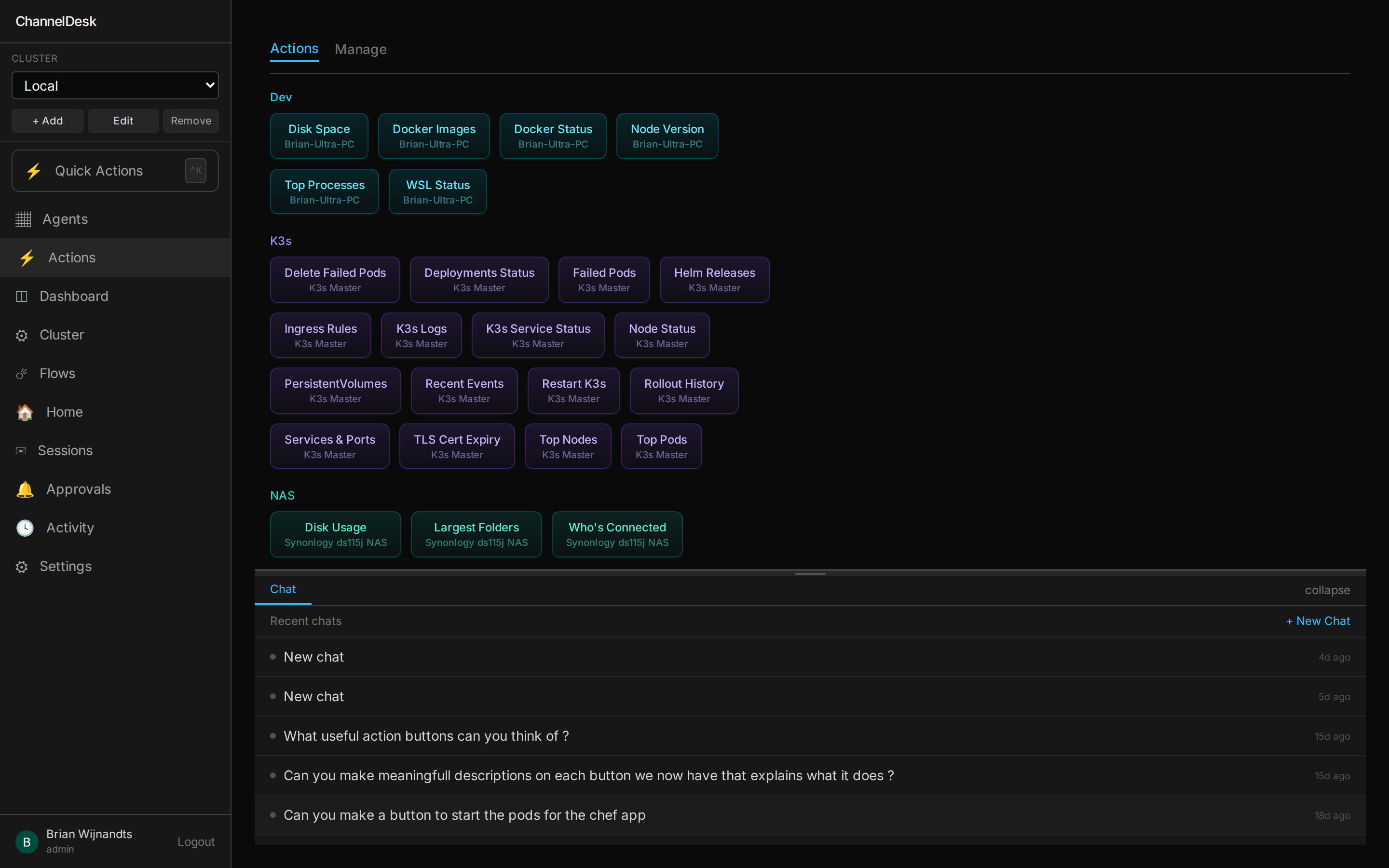
Per-host catalogs of one-click commands — k3s, Proxmox, NAS, NPM registry, network. Each button is also an MCP tool, so Claude can run the same actions from inside a session and a human operator clicks them from the desk.
- • Color-coded by namespace, grouped by host
- • Inline chat dock — ask Claude on the same page
- • Versioned, parameterized, sharable across operators
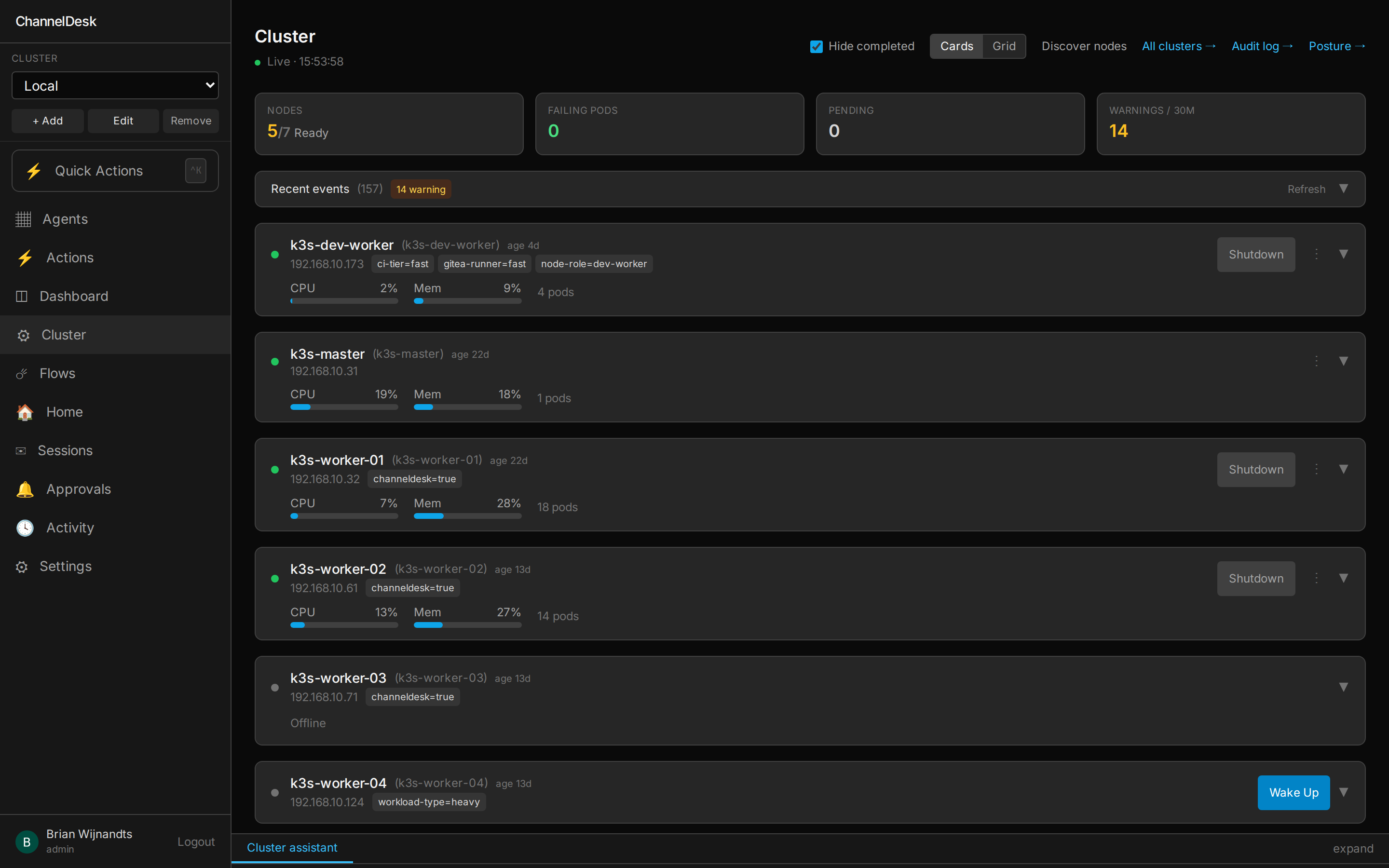
Wake, sleep, restart — your nodes, your call.
Talks Wake-on-LAN to spare workers, ssh to masters, and the k8s API to everything else. Pull up live CPU/Mem on every node, see the 30-min event rollup, and walk a worker into & out of the pool from your phone.
- • Card or grid view across multiple clusters
- • Per-node label badges (ci-runner, dev-worker, …)
- • Drill into a single namespace or see the full service map
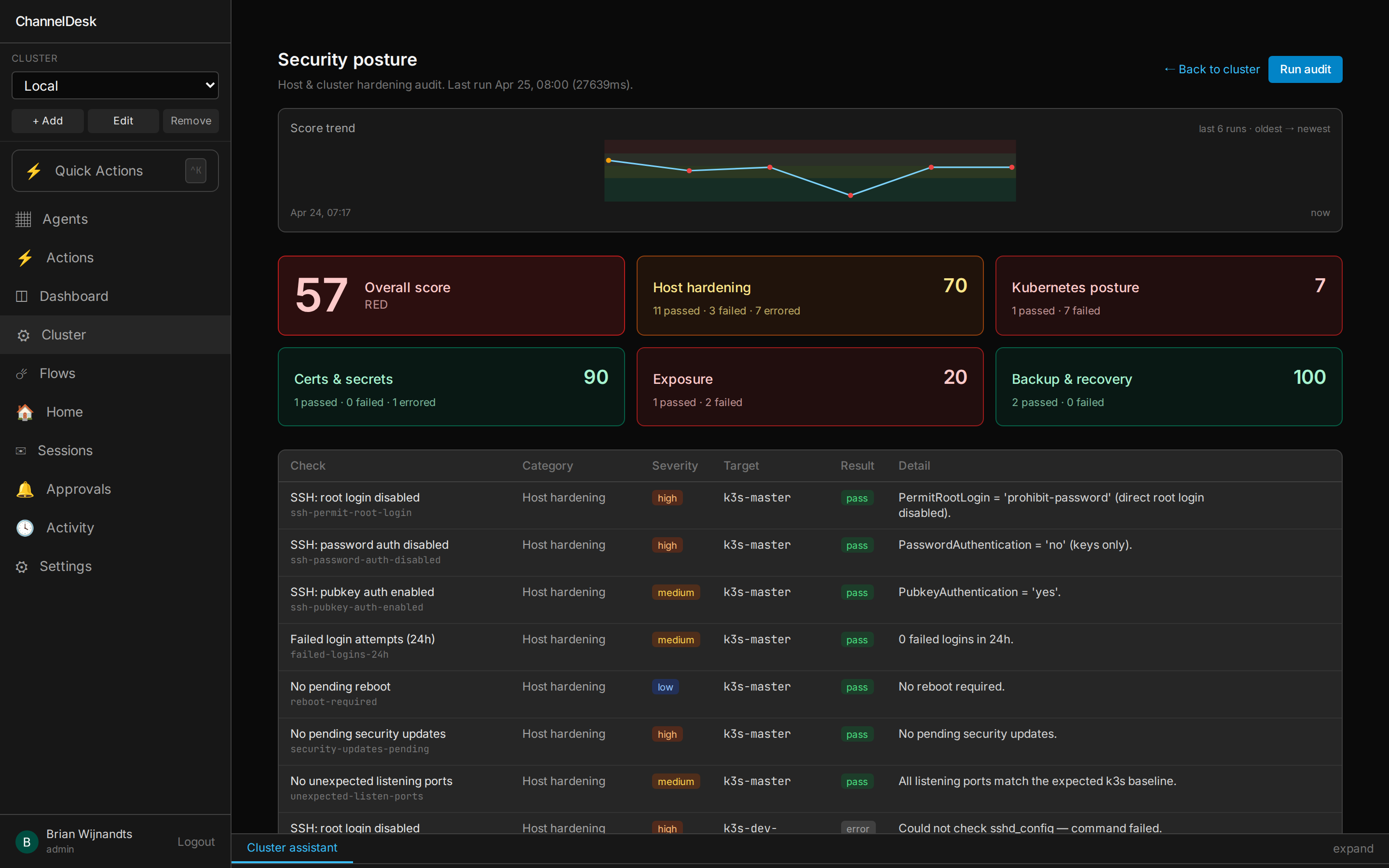
Hardening checks, on a cron.
A scheduled audit runs across hosts and the cluster — SSH config, kubelet baseline, cert expiry, listening ports, backup recency. One score, a 6-run trend line, and a per-check table you can filter by category and severity.
- • Host hardening · Kubernetes posture · Certs & secrets · Exposure · Backup & recovery
- • Re-run on demand from the UI, or wire it into a flow
And a lot more
Settings service
CLAUDE_MODELS allow-list — the UI always has live values, no restarts.
Flow Engine v2
Capability-based integration graph
Command adapters
Optimistic UI
PWA + offline shell
app.config.ts.
Kaniko image builds
Observable
kube-prometheus-stack.
Activity audit
/activity with
status pills you can filter on. Same trail powers the per-page chat dock.
Multi-cluster
Wake-on-LAN built in
If you've used n8n.
n8n composes API calls. ChannelDesk composes Claude sessions, automations, and your homelab's machines. Same category, different scope.
n8n
- • Wire HTTP nodes, transform JSON, send notifications
- • If you want intelligence in a step, you call an LLM API and parse the JSON yourself
- • Workflows over APIs and webhooks
- • Excellent at integrating SaaS
ChannelDesk
- • Spawns real
claude-codesubprocesses as first-class flow nodes - • Each agent has full filesystem, git, SSH and per-agent MCP/skill access
- • Approval gates and the chat dock are wired into the same surface that triggers the work
- • Excellent at driving your homelab's actual machines
Short version: n8n with a Claude agent on every node — and your homelab's machines hanging off it.
Self-host ChannelDesk in 10 minutes
Clone the repo, drop your SSH keys, and chat to your fleet from your own box. No SaaS account, no metered bills, no telemetry.